Objective
In this first delivery, I want to achieve the following:
- Install and get to know kubernetes
- Deploy existing self made applications to a Kubernetes cluster
- add monitoring to kubernetes
Result
1 - Install and study Kubernetes
To increase the portability, scalability and availability of my programs,
I am going to use Kubernetes as the software platform for container orchestration.
Portability means that Kubernetes can be installed and used on virtually all Linux distributions,
to deploy applications with scalability and high availability.
Kubernetes has become practically the standard for this in companies and for Cloud providers.
First, I learned the architecture and basic operation of Kubernetes via an online course.
After that, I compared various Kubernetes distributions and chose “K3s/K3d” as a lightweight implementation
(vs standard kubernetes K8s, Openshift, Talos Linux, Minikube, Kind, Microk8s).
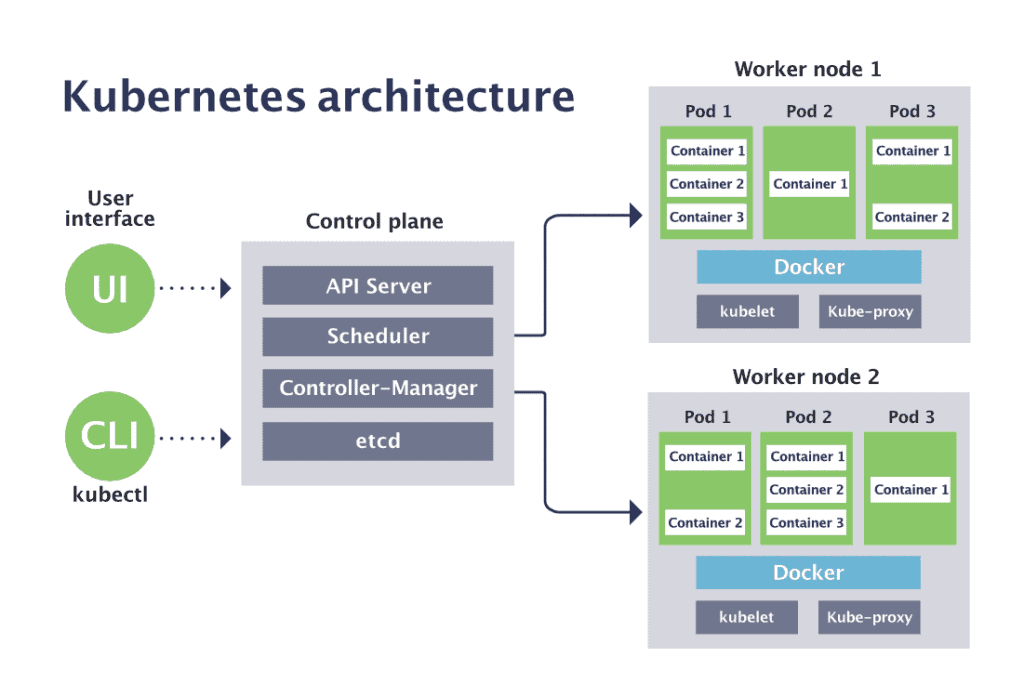
To install Kubernetes, I needed to provide hardware and virtual machines.
After that, I had to develop the desired cluster architecture and namespaces on top of this.
I created the following 3 Kubernetes environments:
- Kubernetes cluster local-devapp" for local development and exploration:
on my development PC/laptop, I installed “Rancher Desktop”;
I used a one-node cluster with K3s and a multi-node cluster with K3d,
which are dynamically created and removed when necessary - Kubernetes cluster"home-devdep" for central app development and deployment tools:
For this, I used a one-node cluster with K3s,
and purchased a refurbished business-grade machine for this;
this cluster can be expanded with extra nodes later - Kubernetes cluster “home-prodapp” for applications deployed in production:
For this, I used a one-node cluster with K3s,
and purchased a refurbished business-grade machine for this;
this cluster will be expanded with extra nodes later
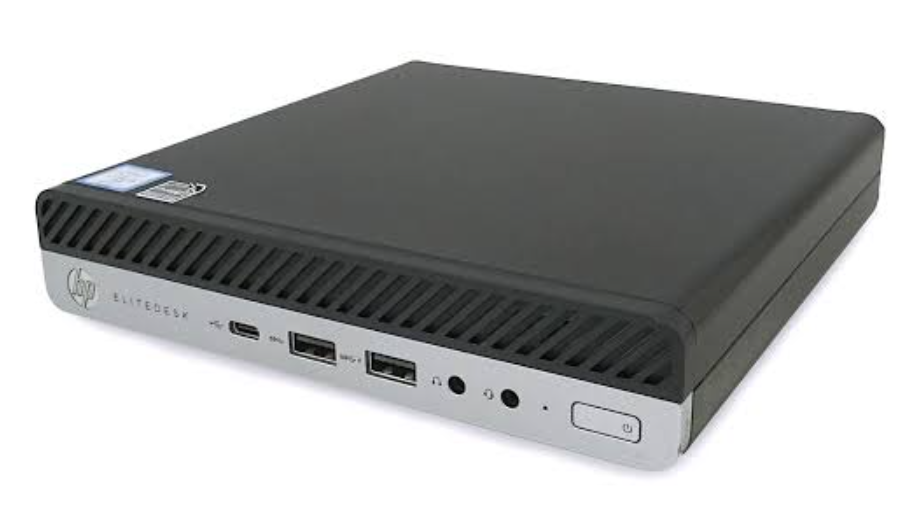
The purchase price of these 2 machines had to fall within my annual budget of 500 EUR.
I bought the following 2 refurbished business-grade mini pc’s with low power consumption,
and installed K3s Kubernetes on it:
HP EliteDesk 800 G5 USFF - Intel Core i5-9th Gen (6 cores/6 threads) - 16 GB DDR4 SDRAM - 256 GB SSD
2 - Study application deployment in Kubernetes
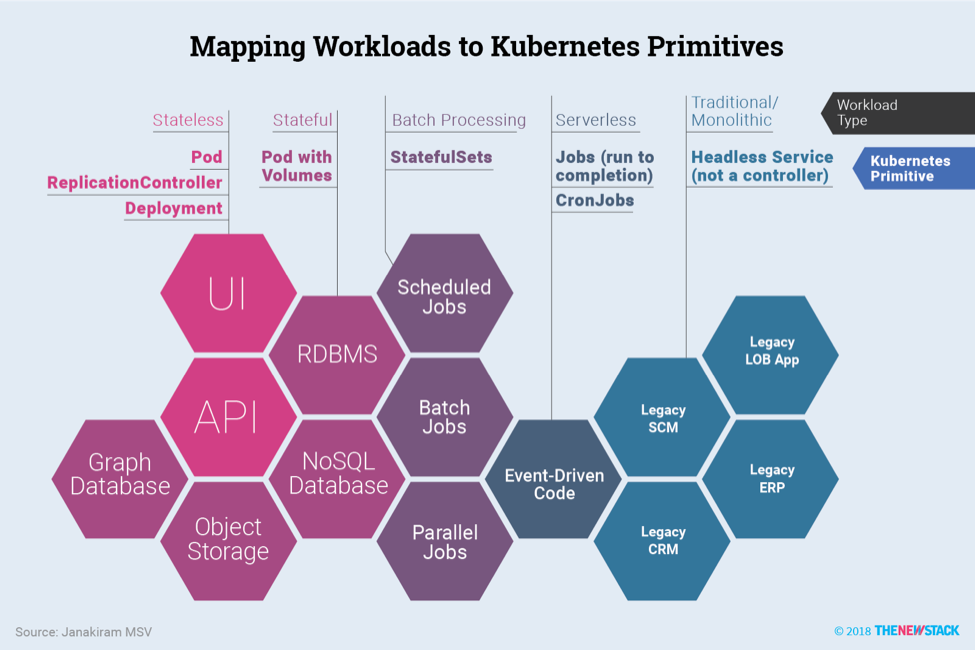
I started by learning how to deploy and use applications on the “home-prodapp” Kubernetes cluster.
Kubernetes provides support for improving the scalability and availability in three important areas:
- computing resources:
referred to as “Workloads” in Kubernetes;
Kubernetes specifies “Long-Running / Continuous” workload types (DaemonSet, Deployment, StatefulSet),
and “Batch / Scheduled” workload types (Jobs, CronJobs);
In this post, we will look only at “DaemonSet”, “Deployment” and “StatefulSet” as workload types. - storage resources:
referred to as “Volumes” in Kubernetes;
Kubernetes specifies many types, which are categorized into “Ephemeral & Temporary”, “Node-Local” and “Persistent & Networked” volume types;
In this post, we will look only at “emptyDir” & “configMap” & “secret” as Ephemeral,
“hostPath” als Node-Local and “nfs” & “csi” (Container Storage Interface) as Persistent volume types. - networking resources:
referred to as “Services, Load Balancing, and Networking” in Kubernetes;
Kubernetes specifies “ClusterIP” (default), “NodePort”, “LoadBalancer”, “ExternalName” and “HeadlessService” as service types;
In this post, we will look only at “NodePort” and “LoadBalancer” as service types.
To explore this Kubernetes application support, I created two namespaces beside “default” within the “home-prodapp” cluster:
- “ops” namespace:
intended for the installation of application and infrastructure monitoring tools - “demo” namespace:
intended for the re-installation of the existing homemade “demo_hello2” and “demo_todo2” applications